New Year, New Website — Same Old Me
I redesigned my www website. Why?
- The end of year / holiday break is a great time to work on such things.
- I wanted to scratch an itch.
- Websites are a worry stone [gestures at current state of the world]
- Do I really need a reason? Nope.
I read something along the lines of “If you ship something that shows everything you’ve made, it’s dead on arrival.”
Oooof. I feel that. It’s so hard to make a personal website that keeps up with your own personal evolution and change.
But the hell if I’m not gonna try — and go through many existential crises in the process.
I was chasing the idea of making my “home” page essentially a list of feeds, like:
- Hey, I blog. Here’s the latest: [1, 2, 3]
- Yo, I take notes. Here’s the latest: [1, 2, 3]
- Bruh, I collect iOS icons. Here’s the latest: [1, 2, 3]
- Guess what? I collect macOS icons too. Here’s the latest: [1, 2, 3]
- Hey, I ___. Here’s the latest: [1, 2, 3]
You get the idea.
The thought was: if I condense the variety of the things I do online into a collection of feeds (hard-coded or live from other sites I publish), then I’ll never be out of date!
Plus I love links. I love following them. I wanted my home page to be the start of a journey, not the end. A jumping off point, not a terminal one.
At least that was the idea behind this iteration.
Behind the Scenes
I built the (static) site using Web Origami.
I loved it! Origami is great for dealing with feeds because it makes fetching data from the network and templating it incredibly succinct.
<h2>Latest from my notes blog</h2>
<ul>
  ${Tree.map(
    (https://notes.jim-nielsen.com/feed.json).items.slice(0,3),
    (note) => `<li><a href="${note.url}">${note.title}</a></li>`
  )}
</ul>
In just those few lines of code I:
- Fetch a JSON feed over the network
- Grabbed the 3 most recent entries
- Turn the data into markup
For example, here’s the code showing my latest blog posts:
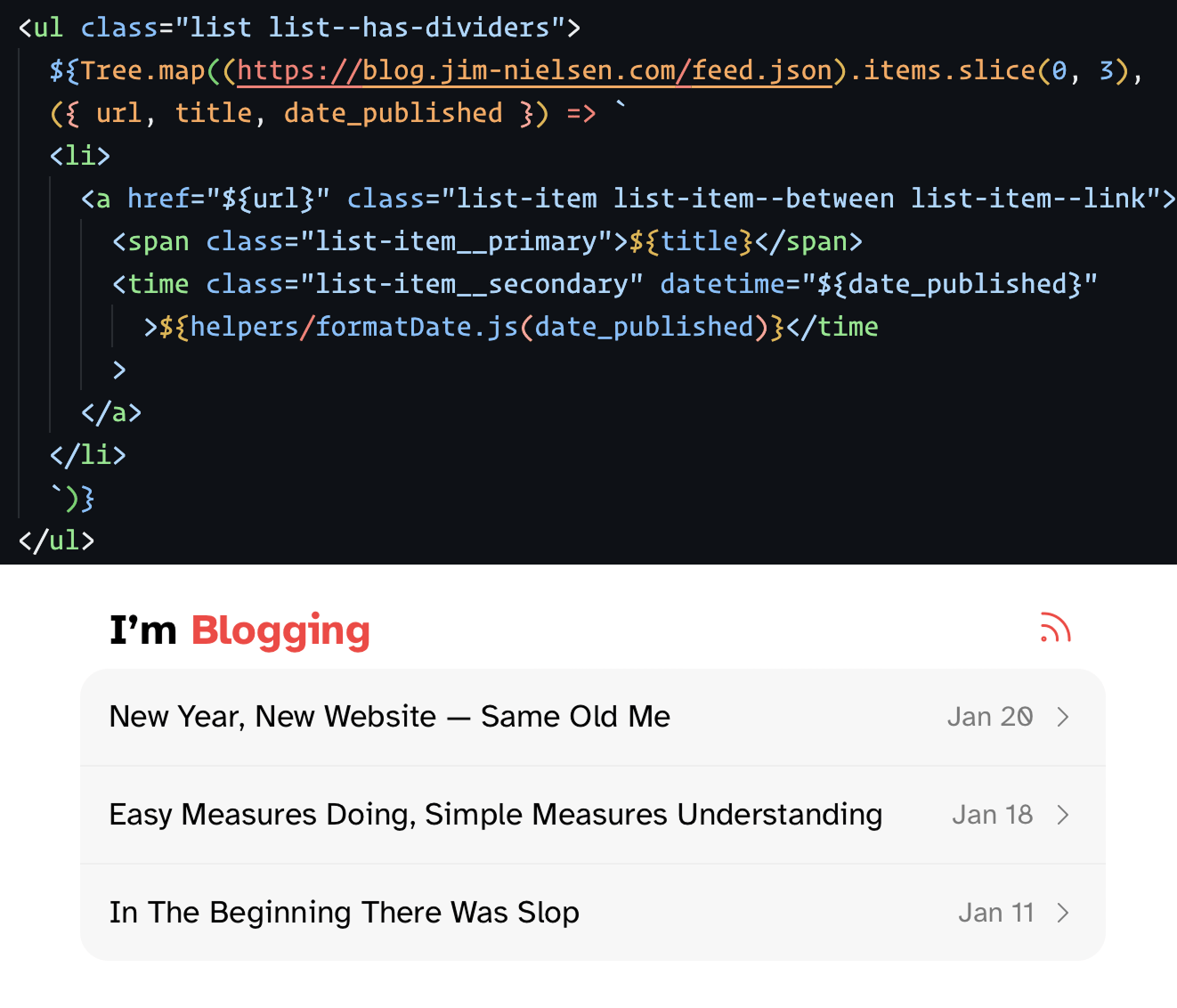
And here’s the code showing the latest icons in my iOS collection:
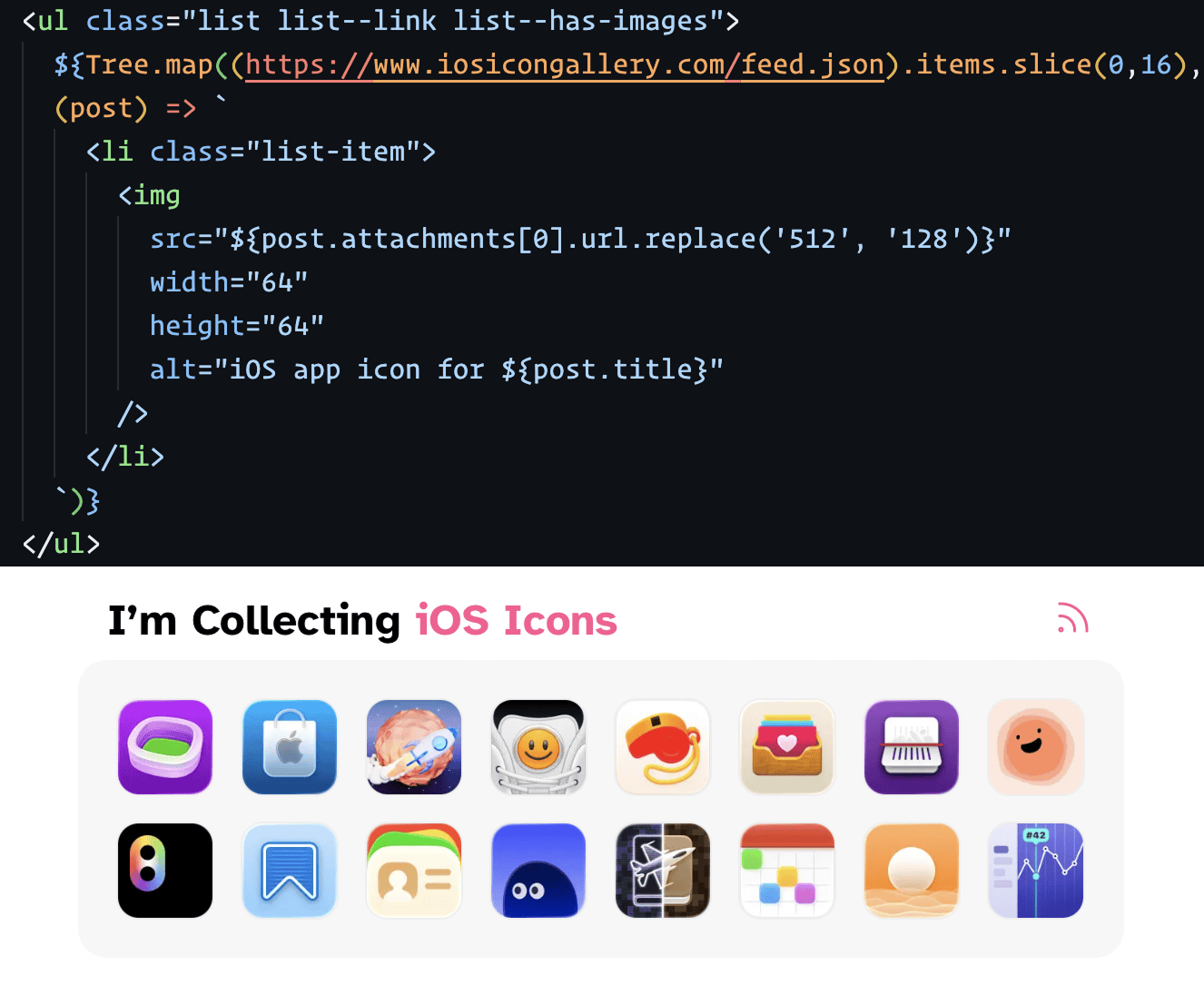
Beautiful and succinct, isn’t it?
Origami is a static site builder, so to keep my site “up to date” I just set Netlify to build my site every 24 hours which pulls data from a variety of sources, sticks it in a single HTML file, and publishes it as a website.
The “build my site every 24 hours” isn’t quite as easy as you might think. You can use a scheduled function on Netlify’s platform but that requires writing code (which also means maintaining and debugging said code). That seems to be Netlify’s official answer to the question: “How do I schedule deploys?”
I went with something simpler — at least simpler to me.
- Setup a build hook on Netlify (which you have to do for the schedule function approach anyway).
- Use Apple’s Shortcuts app to create a shortcut that issues a POST request to my build hook.
- Use Shortcuts’ “Automation” feature to run that shortcut every day.
So the “cron server” in my case is my iPhone, which works great because it’s basically always connected to the internet. If I go off grid for a few days and my website doesn’t refresh, I’m ok with that trade-off.
